



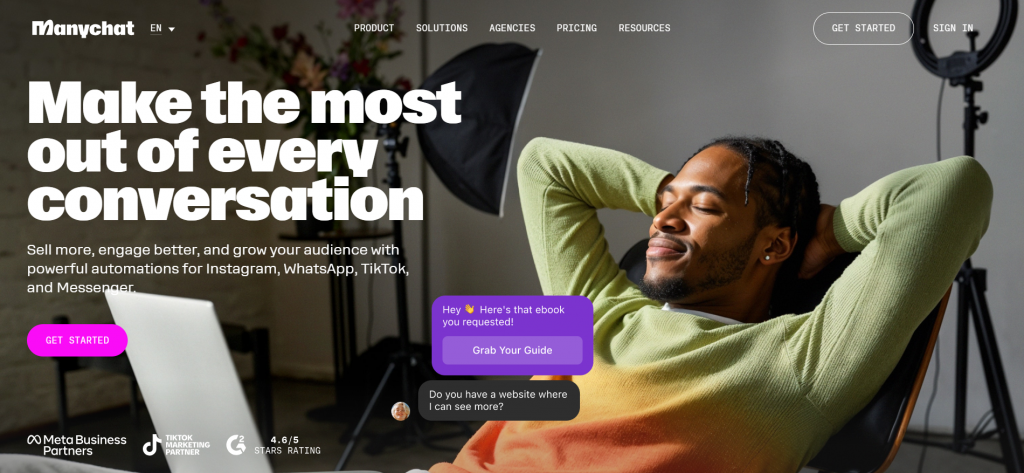
Are you ready to transform your customer interactions and elevate your business game? In today’s fast-paced digital world, chatbots have emerged as the superheroes of communication—efficient, engaging, and available 24/7. But if the idea of creating one feels overwhelming or complicated, fear not! We’re here to guide you from zero to hero in just a few easy steps. Welcome to “From Zero to Hero: How to Create Your First ManyChat Bot in Minutes”! Whether you’re a small business owner looking for better engagement or an entrepreneur eager to automate responses without breaking a sweat, this post will empower you with all the tools you need. Let’s dive into the exciting world of ManyChat and unlock the potential of chatbot technology together!
Why use ManyChat for your business?
ManyChat is revolutionizing the way businesses interact with their customers. Its user-friendly interface allows you to create sophisticated chatbots without any coding knowledge. One of the standout features is its powerful automation capabilities. You can engage users instantly, answering questions and guiding them through processes seamlessly. With ManyChat, you can reach your audience where they spend most of their time—on messaging platforms like Facebook Messenger and Instagram. This direct line fosters a more personal connection. The analytics dashboard provides valuable insights into user behavior, helping refine your strategies over time. Moreover, it supports integration with e-commerce platforms and other tools, enhancing functionality while simplifying operations. Embracing ManyChat means embracing growth in a digital-first world.
Setting up your ManyChat account
Getting started with ManyChat is a breeze. First, visit the ManyChat website and click on “Get Started for Free.” You’ll be prompted to log in using your Facebook account. This integration connects your bot directly to Messenger, making it easy to manage conversations. Once logged in, you’ll need to authorize ManyChat’s access to your Facebook page. Choose the page you want associated with your chatbot. After that, you’ll land on the dashboard—your new command center. Here, you can explore various features and settings that will help shape your bot’s personality and functionality. Don’t forget to customize basic details like profile picture and name right away. This helps establish brand identity from the very start! With everything set up correctly, you’re just moments away from creating engaging interactions for users through personalized messaging.
Understanding the dashboard and features of ManyChat

Navigating the ManyChat dashboard is a breeze, even for beginners. Upon logging in, you’ll find an intuitive layout that keeps everything organized. On the left sidebar, essential features await your exploration. Here, you can access your bots and see analytics at a glance. The stats provide valuable insights into user interactions and engagement levels. Central to your experience are the tools designed for building chat flows. Drag-and-drop functionality makes it easy to visualize conversations without needing coding skills. Don’t overlook the “Audience” section; this is where you’ll manage subscribers effectively. Understanding who engages with your bot opens doors for tailored communication strategies. Lastly, check out integrations with platforms like Facebook Messenger and Instagram. These connections extend your reach and enhance customer interaction across channels seamlessly.
Choosing a template or starting from scratch
When you dive into ManyChat, one of your first decisions is whether to choose a template or start from scratch. Templates can be a fantastic shortcut, providing pre-designed flows that suit specific business needs. They save time and offer proven strategies. If you’re new to chatbots, starting with a template can ease the learning curve. You’ll see how conversations are structured and get inspiration for your own design. Plus, it’s easier to customize an existing flow than create everything from zero. On the other hand, building from scratch gives you complete control over every detail. If you have a unique vision in mind or want to tailor interactions specifically to your audience’s preferences, this route might be best for you. Just remember: clarity in purpose will guide your choices as you move forward with either option!
Customizing your bot’s appearance and name
Customizing your bot’s appearance and name is where the magic starts. This step adds personality to your digital assistant, making it more relatable. Begin with choosing a name that reflects your brand identity. A catchy, memorable name can create an instant connection with users. Think about what you want your audience to feel when they interact with your bot. Next, focus on visuals. Select colors and fonts that align with your brand aesthetics. Consistency in design fosters trust and recognition among users. Add a profile picture or avatar for extra charm. It humanizes the experience and invites engagement. Finally, don’t forget to craft a friendly tone for messages. Your bot should sound approachable yet professional—finding this balance is key to keeping conversations enjoyable and effective.
Setting up default responses and welcome messages

Setting up default responses and welcome messages is crucial for creating a welcoming atmosphere. These initial interactions set the tone for user engagement. Start by crafting a warm greeting that reflects your brand’s personality. This message should encourage users to explore what your bot can offer. A friendly touch can make all the difference. Next, consider how to handle common questions or queries automatically. Default responses streamline conversations and ensure that users feel heard, even when they contact you outside of business hours. You might also want to include helpful quick replies in your welcome message. These buttons guide users on their next steps, making navigation easier. Regularly revising these messages ensures they remain relevant as your business evolves. Don’t hesitate to tweak them based on user feedback or changing trends in communication style.
Advanced features and strategies for maximizing your bot’s potential
To truly elevate your ManyChat bot, delve into advanced features like sequences and tags. Sequences allow you to automate a series of messages that guide users through specific journeys. This way, you can nurture leads or provide valuable content over time. Tags help categorize your audience based on their interactions. By segmenting subscribers, you tailor messages for different groups, ensuring relevance and engagement. This targeted approach improves user experience significantly. Don’t overlook broadcasting! Sending out timely updates or promotions keeps your audience engaged and informed about what matters most to them. Craft compelling broadcasts that resonate with varying segments for maximum impact. Lastly, consider integrating AI capabilities into your chat interactions. Machine learning enhances the chatbot’s ability to understand user intent better, making conversations feel more natural and responsive. Embrace these strategies to unlock the full potential of your ManyChat bot and foster deeper connections with users.